
Realtrac RightBoard
Smarter Shop Floor Scheduling. Clearer Daily Priorities.
Give your shop floor a clearer view of what needs to get done and when. Realtrac RightBoard combines visual production scheduling with automated operation queuing and color-coded workday labels, helping operators understand upcoming workloads while giving managers the flexibility to control production priorities.
With Auto Queue, Realtrac automatically calculates and queues operations overnight, providing an updated view of the work expected at each station when the workday begins.
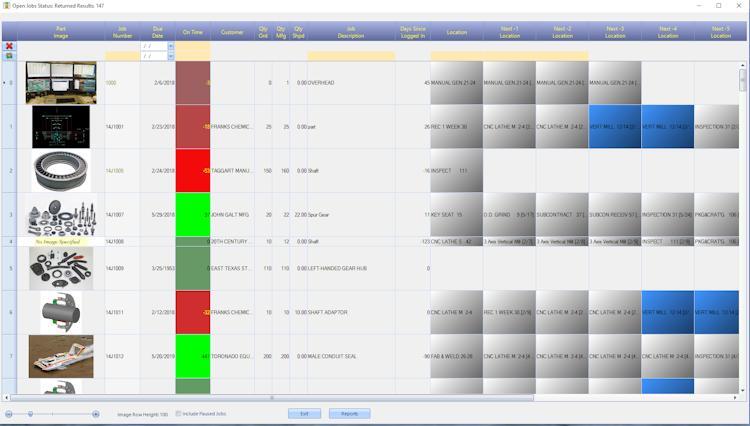
Turn Your Production Schedule Into a Clear Daily Plan
A production schedule is only useful when your team can act on it. RightBoard brings scheduling information to the shop floor in an easy-to-understand visual format, helping operators see the work ahead and managers communicate production expectations.
RightBoard helps your team:
Visualize scheduled work
See operations and workloads across your work centers.
Automate operation queuing
Automatically incorporate newly added router operations into the queue.
Clarify daily expectations
Use color-coded labels to identify operations expected today, the next workday, or further in the future.
Prepare for upcoming work
Review future operations and anticipate tooling, fixtures, and material requirements.
Maintain production control
Use scheduling guidance while retaining the flexibility to determine job priorities.
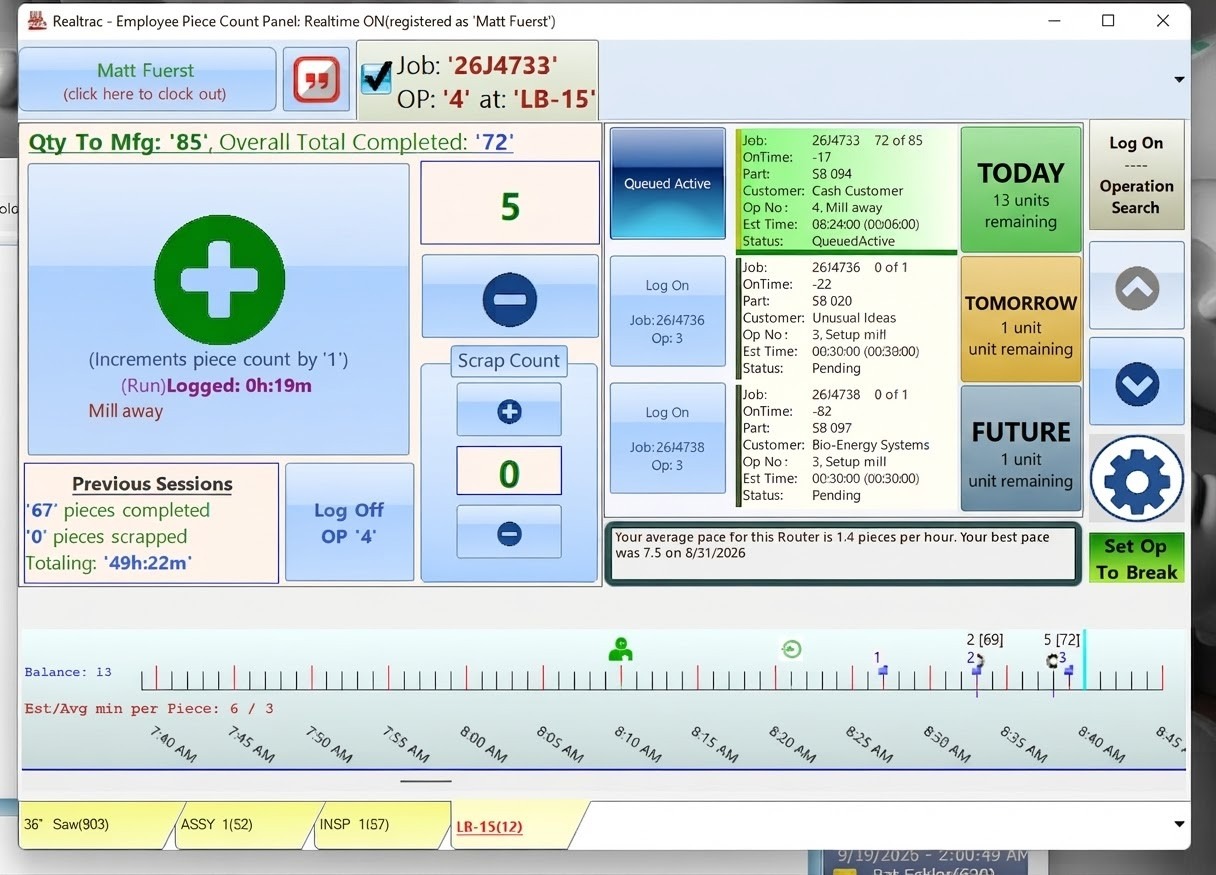
RightBoard Auto Queue: A Clearer Plan Every Morning
Production schedules change as jobs are launched, operation estimates are adjusted, and pieces are completed. Keeping operator queues aligned with those changes can take time and effort.
Realtrac Auto Queue helps simplify this process by automatically calculating and queuing operations during the nightly processing routine.
When employees arrive in the morning, their RightBoard and Piece Count Panel displays are updated with a queue based on the expected workload at each work center.
Auto Queue considers factors including:
- The number of hours a work center is expected to be open.
- Estimated times for router operations.
- Pieces already completed.
- The workload scheduled at each station.
The result is a more practical view of which operations are expected to be worked on today and in the following workdays, without requiring operators to manually calculate and maintain the queue.
Color-Coded Work Day Labels
Help operators quickly understand when work is expected to begin. Realtrac Work Day Codes add clear labels and customizable colors to operations displayed in RightBoard and Piece Count Panel.
Today
Identifies operations expected to be started today and potentially completed today, based on station availability and estimated operation times.
Tomorrow / Next Day
Identifies operations expected to be started on the station's next workday.
Future
Identifies operations expected to begin two or more workdays in the future, based on the station's workload.
Each label can be assigned a custom color, and the same color scheme is used across RightBoard and Piece Count Panel.
This visual guidance helps employees understand near-term expectations, anticipate upcoming work, and better prepare for the operations ahead.
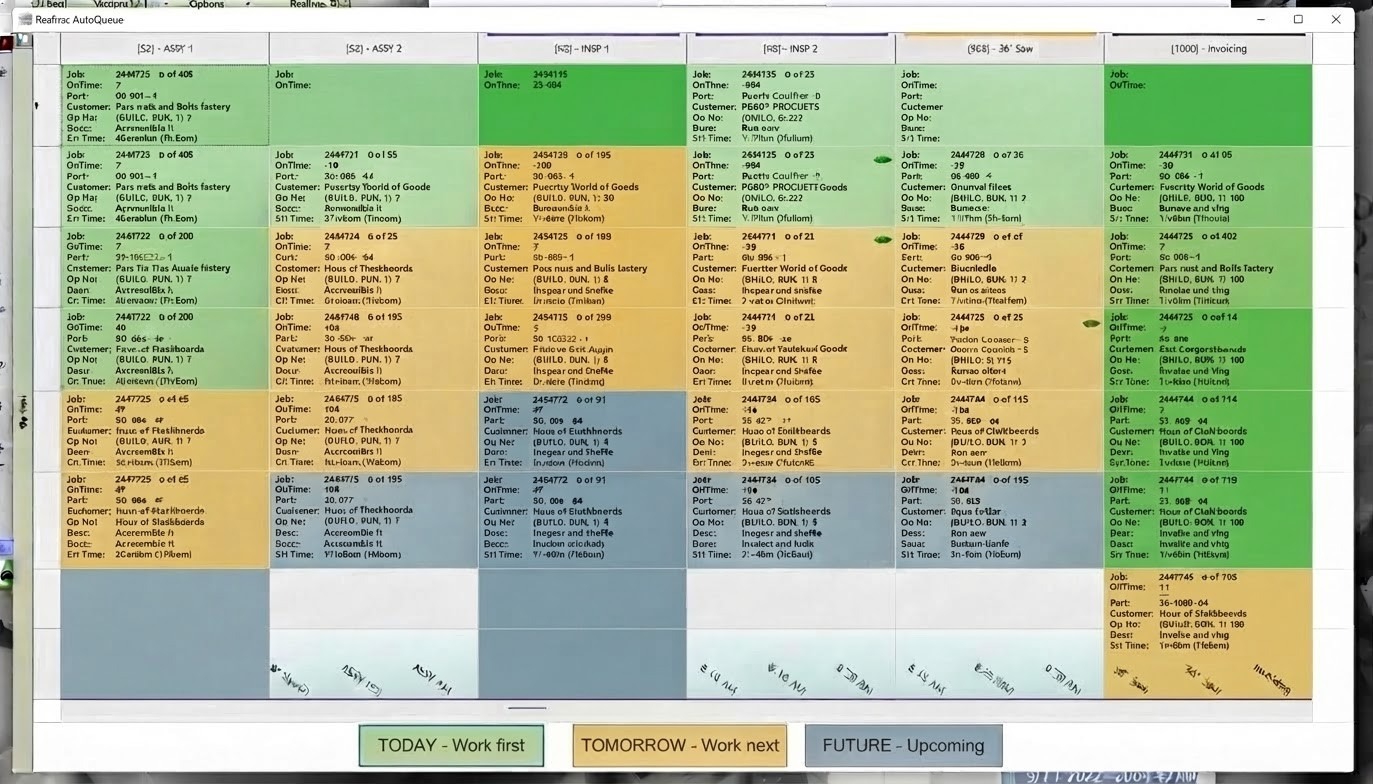
Connected Shop Floor Visibility With Piece Count Panel
RightBoard and Piece Count Panel use the same queued operation data to provide a consistent view of upcoming work.
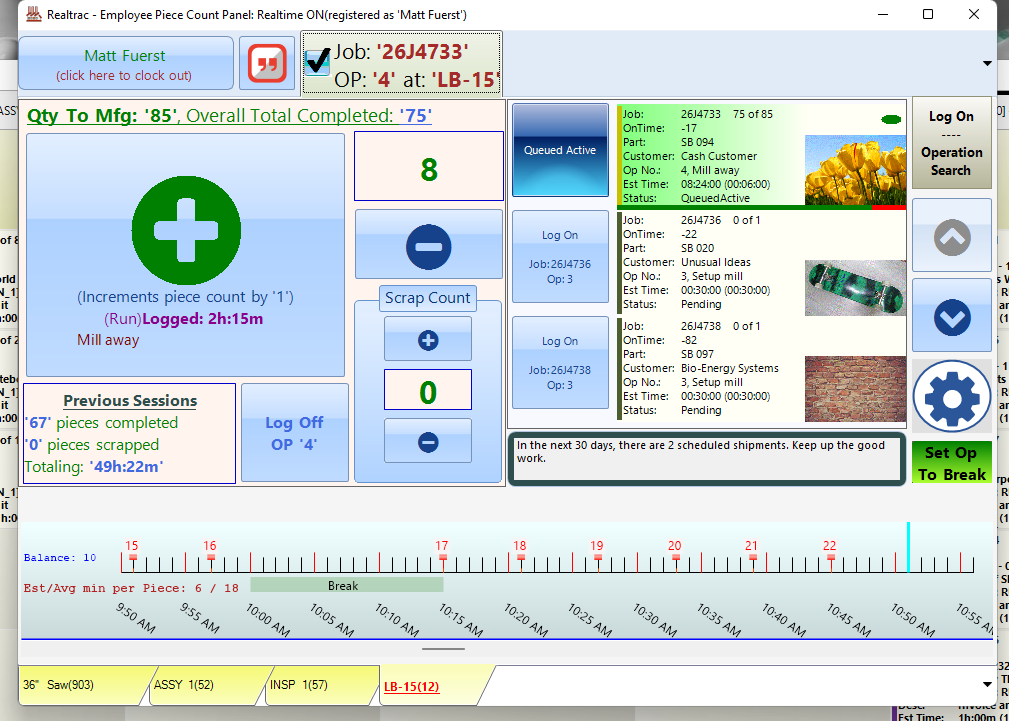
RightBoard provides a broader view of the work scheduled across stations, while Piece Count Panel gives employees access to their queued operations alongside piece-count tracking and relevant job information.
Operators can navigate upcoming operations to see what is planned for subsequent days and prepare for the tooling, fixtures, or materials they may need.
By connecting scheduling visibility with the operator's daily workflow, Realtrac helps bring production plans closer to the work being performed on the shop floor.
Real-Time Scheduling With Practical Production Control
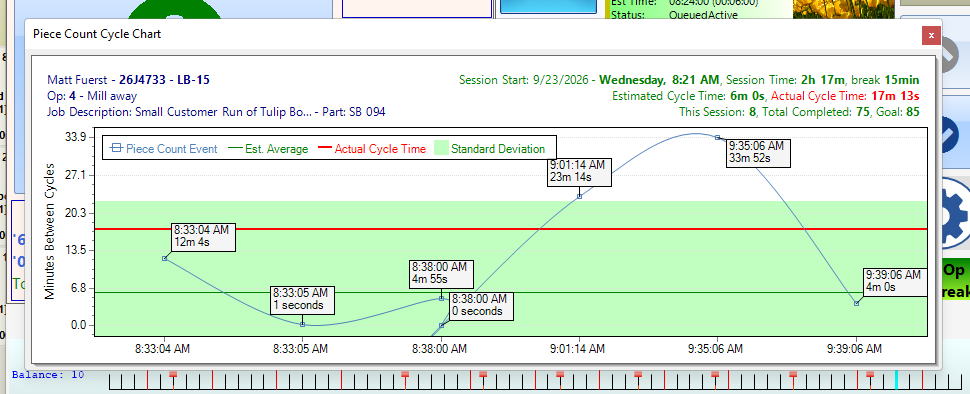
Manufacturing schedules are constantly changing. Jobs are launched, estimated operation times are adjusted, and completed pieces affect the remaining workload.
Realtrac uses an infinite-capacity scheduling approach to recalculate and reschedule work as these changes occur. Rather than automatically deciding which jobs must take priority, Realtrac provides visibility into scheduled work and helps managers make informed production decisions.
Auto Queue builds on this approach by considering work center availability and workload to organize expected operations across upcoming workdays.
The schedule provides the guidance. Your production team maintains control.
Managers can use the queue to understand which operations are expected to be worked on while retaining the flexibility to determine priorities based on changing production needs.
Give Your Shop Floor a Clearer View of What's Next
Help your team move from simply seeing scheduled work to understanding what is expected next.
With Realtrac RightBoard, Auto Queue, and color-coded Work Day Labels, your shop gains improved visibility into upcoming operations, clearer daily expectations, and a practical way to connect scheduling with shop floor execution.
Ready to see how Realtrac can improve shop floor scheduling and visibility?
Request a demo to explore RightBoard and its latest capabilities.
Request a Realtrac Demo